Saturday, June 18, 2016

GOSAKTO Afordable Bug for Globe


Gosakto afordable

Bug promo call/txt/surf for 1 month(CALL & TEXT ONLY)
Load: 171 pesos
Text: 1020 texts to all networks
Call: 510 minutes calls toGlobe/TM
Validity: 30days

1st TRICK
1. GOCOMBOAKCOF139 (wait for confirmation)
2. GOCTCOMBODD32 (wait for confirmation)
3. GOSURF STATUS sent 8888

2nd TRICK (SURF ONLY)

Option 1 (136pesos)Surf: 1010MB consumable
Validity: 30days

1. GS99 (wait for confirmation)
2. GOTSCOMBOKEA37 (wait for confirmation)
3. GOSURF STATUS

ADD ONS: (after successful registration)37pesos = GOTSCOMBOKEA37


Option 2 (104pesos)Surf: 1000MB consumable

Validity: 30days

1. GS99 (wait for confirmation)
2. GT5 (wait for confirmation)
3. GOSURF STATUS

ADD ONS: (after successful registration)

5pesos = GT5 (800MB additional) (7-9am only)

GOSAKTO Afordable Bug for Globe


Gosakto afordable

Bug promo call/txt/surf for 1 month(CALL & TEXT ONLY)
Load: 171 pesos
Text: 1020 texts to all networks
Call: 510 minutes calls toGlobe/TM
Validity: 30days

1st TRICK
1. GOCOMBOAKCOF139 (wait for confirmation)
2. GOCTCOMBODD32 (wait for confirmation)
3. GOSURF STATUS sent 8888

2nd TRICK (SURF ONLY)

Option 1 (136pesos)Surf: 1010MB consumable
Validity: 30days

1. GS99 (wait for confirmation)
2. GOTSCOMBOKEA37 (wait for confirmation)
3. GOSURF STATUS

ADD ONS: (after successful registration)37pesos = GOTSCOMBOKEA37


Option 2 (104pesos)Surf: 1000MB consumable

Validity: 30days

1. GS99 (wait for confirmation)
2. GT5 (wait for confirmation)
3. GOSURF STATUS

ADD ONS: (after successful registration)

5pesos = GT5 (800MB additional) (7-9am only)

Speed Up Your Internet Connection


Using the tweaking tool called DrTCP, we will make your DSL, Broadband and Etc. faster with these steps.1. Download DrTCP from this link.
2. Open DrTCP and put the following values:
  • TCP Receive Window = 2064440
  • Windows Scaling = Yes
  • Time Stamping = No
  • Selective Acks = Yes
  • Dial Up (RAS) MTU = leave it blank
  • Path MTU Discovery = Yes
  • Black Hole Detection = No
  • Max. Duplicate ACKs = leave it blank
  • TTL = leave it blank
  • Adapter Settings (select your LAN adapter) = 1500


3. Click Save, Exit and OK.
4. Restart your computer for the changes to take effect.Notes:Works on Windows XP, Windows 2000 and Windows 7.

Old Result ko


New Result

Latest Result


 Download DRTCP
Note: Do at your own RISK.
*Warning: make system restore muna, pra kung di effective o bumagal sa inyo, rollback nyo nalang.. 
or pede reset your TCP/IP using tutorial links below.


Speed Up Your Internet Connection


Using the tweaking tool called DrTCP, we will make your DSL, Broadband and Etc. faster with these steps.1. Download DrTCP from this link.
2. Open DrTCP and put the following values:
  • TCP Receive Window = 2064440
  • Windows Scaling = Yes
  • Time Stamping = No
  • Selective Acks = Yes
  • Dial Up (RAS) MTU = leave it blank
  • Path MTU Discovery = Yes
  • Black Hole Detection = No
  • Max. Duplicate ACKs = leave it blank
  • TTL = leave it blank
  • Adapter Settings (select your LAN adapter) = 1500


3. Click Save, Exit and OK.
4. Restart your computer for the changes to take effect.Notes:Works on Windows XP, Windows 2000 and Windows 7.

Old Result ko


New Result

Latest Result


 Download DRTCP
Note: Do at your own RISK.
*Warning: make system restore muna, pra kung di effective o bumagal sa inyo, rollback nyo nalang.. 
or pede reset your TCP/IP using tutorial links below.


Saturday, June 4, 2016

How to Hack Wifi with Xiaopan 0.4.5.2.1 (WEP, WPA, WPA2-PSK)


Mga Kailangan:

1. Xiopan Operating System (free lang yan at dito ma dodownload http://sourceforge.net/projects/xiaopanos/)
2. UNETBOOT (gagawa tayo ng bootable usb gamit tong software na to.)
3. Wifi sa Laptop nyo or Wifi adapter kung gagamit naman tayo ng vmware
4. Usb

TIP KO LANG PO (mas okay gumamit ng vmare para habang nghahack ka ay nagagamit mu pa ang pc mu.)
Yan lang po..Lets Start.Steps:1. download nyo muna yung xiaopan na os dun sa link na given.Basahin lamang po ng mabuti ang instruction or sundan yung picture..malalaman nyo na madali lang pala.ITO PO ANG MGA WORKING WIRELESS CARD.• RTL8187, RTL8188C, RTL8192C, RTL8192D, RTL8712, RTL8192SUKung wala dyan ang wireless card niyo or wala kayong balak bumili, HINDI niyo mapapagana. Dapat ang hardware niyo isa sa mga yan. Walang kwenta maginstall ng drivers kung wala namang hardware na ganun.


2. Download the unetboot here http://unetbootin.sourceforge.net/ may tutorial na din po jan sa site nila sundan na lang.
3. Pag na download mu na po yang dalawa, gawin mu na pong bootable yang usb mu gamit ang unetboot
4. Kapag nagawa mu na pong bootable pwede mu nang simulan ang hacking.
5. Ok plug the usb, then restart your pc press f2, or f8 or f10 depend on your boot option
6. Select the usb drive with your xiaopan os.
7. Then mag start up na yan at wait mu lang sya automatic na yan mag tuloy sa desktop or press mu yung 1st selection look the pictures.
8. Follow the attachment


Sa lahat po ng mga magtatanong kung working ba to sa wpa2-psk working po sya 100% basta my wps ang duloSaka paalala lamang po tyaga ang kylangan lalo na kung wpa or wpa2-psk ang ihahack natin minsan it takes 5 hours up.Pero sulit naman po kasi makukuha mu talaga ang password nya.Kung sa WEP na security mu po sya gagamitin matagal na po jan ang isang oras kuha po agad yan.Tandaan po sa my wps sa dulo na wifi ang kaya nya ihack kahit anung security po.
 kahit anung security po ang wifi na gamit nyo ay 100% na pwede ma hack basta naka enable ang wps.Thank you lang masaya na ko.


• Atheros and Broadcom heavily supported
• Others: adm8211, ar9170usb, at76c50x-usb, ath5k, ath6kl, ath9k, ath9k_htc, b43, b43legacy, b44, carl9170, brcm80211, ipw2100, ipw2200, iwl3945, iwlagn, iwlcore, iwmc3200wifi, libertas, libertas_cs, libertas_sdio, libertas_spi, libertas_tf, libertas_tf_usb,libipw, mwl8k, orinoco_cs, orinoco_nortel, orinoco_pci, orinoco_plx, orinoco_tld, orinoco_usb, orinoco, p54common, p54pci, p54spi, p54usb, rt2400pci, rt2500pci, rt2500usb, rt2800pci, rt2800usb, rt61pci, rt73usb, rtl8180, rtlwifi, rtl8192ce, spectrum_cs, ssb, wl1251, wl12xx, zd1211rw Atheros Ethernet driversatl1,atl1c,atl1e, atl2


Saturday, May 28, 2016

X-plore File Manager Best File manager for android


Cover art

Highlights:
● Dual-pane tree view
● Root, FTP, SMB, Sqlite, Zip, Rar, 7zip, DLNA/UPnP explorer
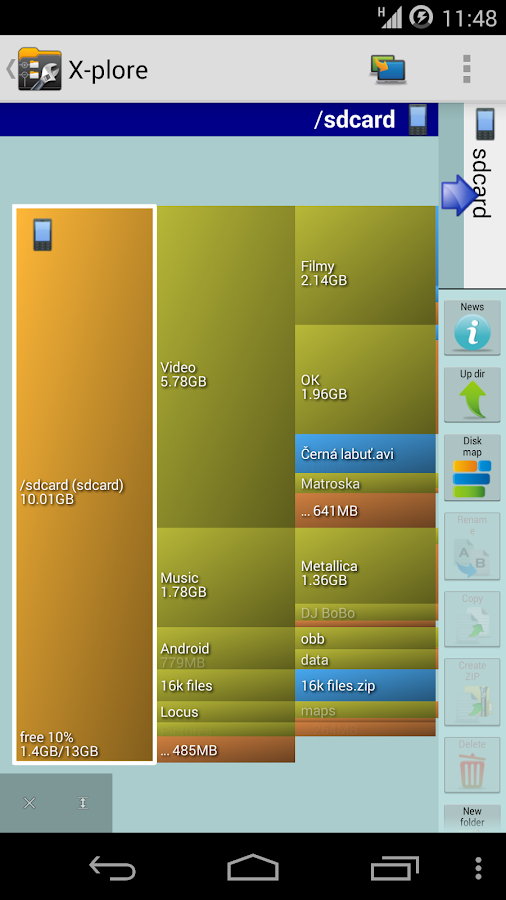
● Disk Map - see which files consume most space on your disk
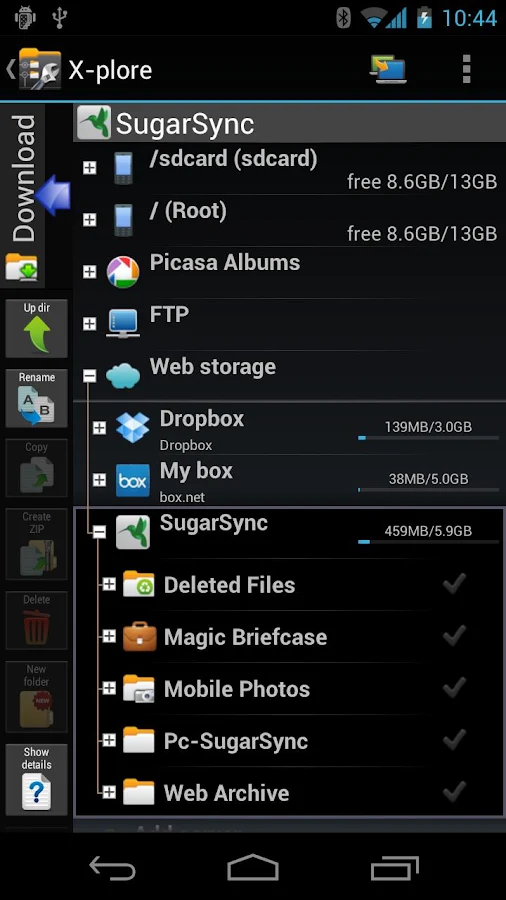
● Cloud storage access: Google Drive™, Dropbox, Box.net, Amazon cloud drive, Mega.co.nz, OneDrive, Webdav, ОБЛАКО.mail.ru, Yandex.disk, MediaFire, SugarSync, Dump Truck, Copy.com, Picasa
● SSH File Transfer (SFTP) and SSH Shell ***
● Music player ***
● App manager
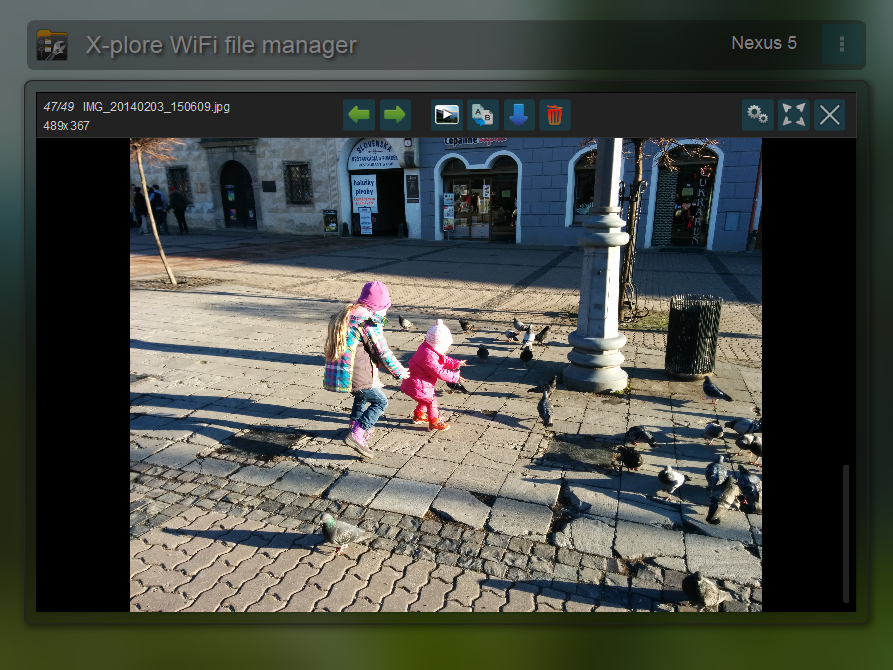
● WiFi file sharing *** 
● Manage files from a PC web browser ***
● Favorite folders
● Built-in viewers for images, video, audio, text
● Hex viewer
● Fast Image viewer with zoom and slide to previous/next images
● Thumbnails for images and video as well as for various file types (depending on associated application)
● Multi-selection - always available, yet not disturbing
● View APK files as ZIP
● Share - send files by Bluetooth, email, or whatever the device supports, from any location
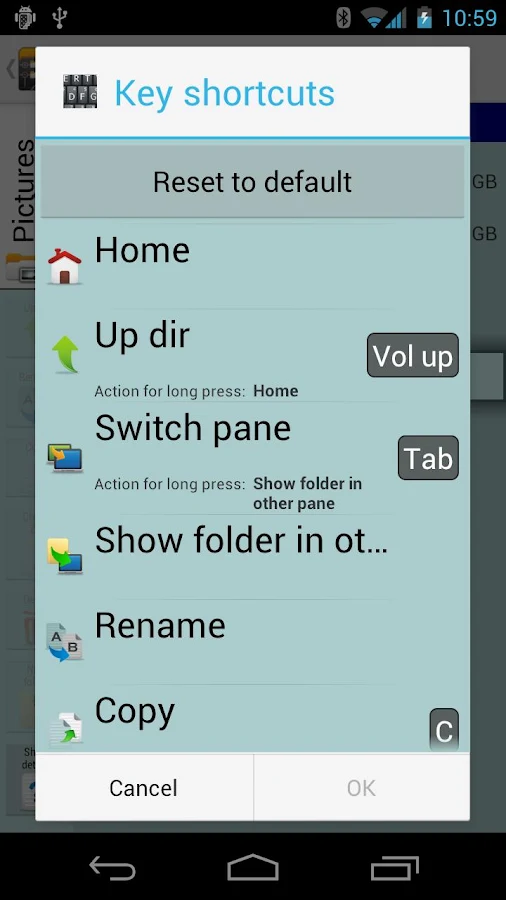
● Configurable buttons and key shortcuts
● Seamless work with Zip (as if it was normal folder)
*** marked features are paid - they require donation

X-plore allows you to see inside of your Android device. And also outside.
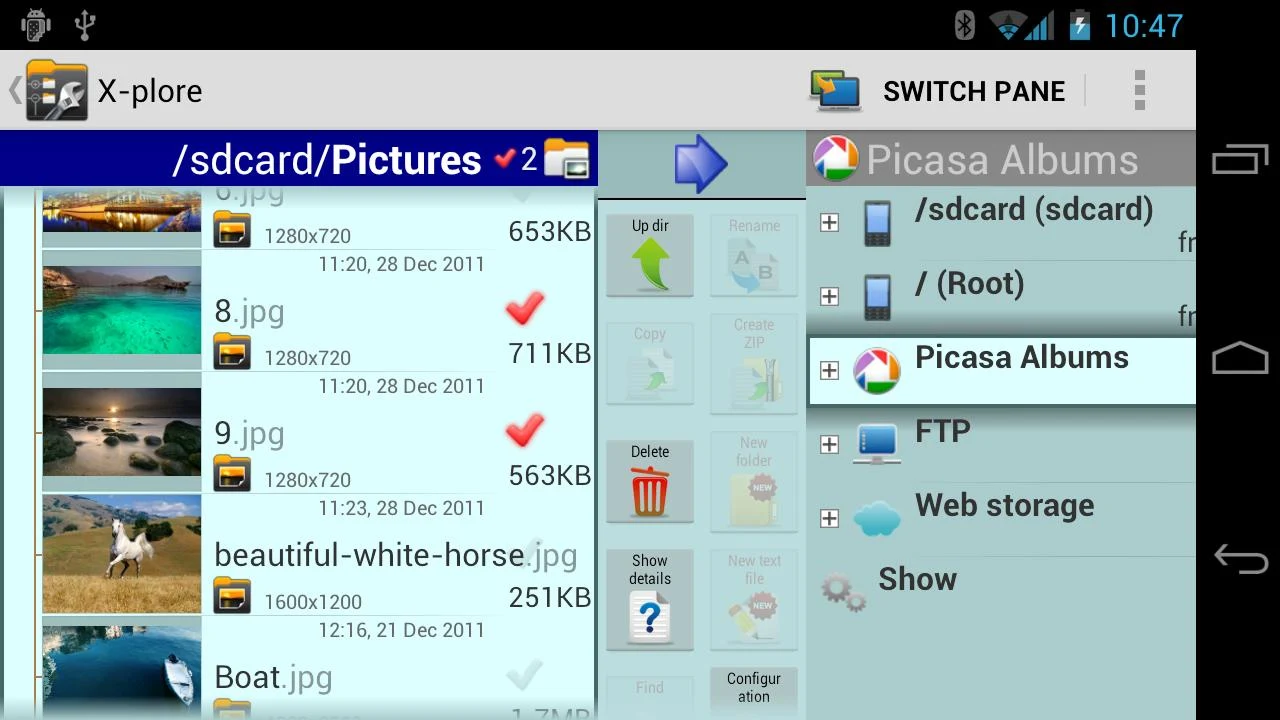
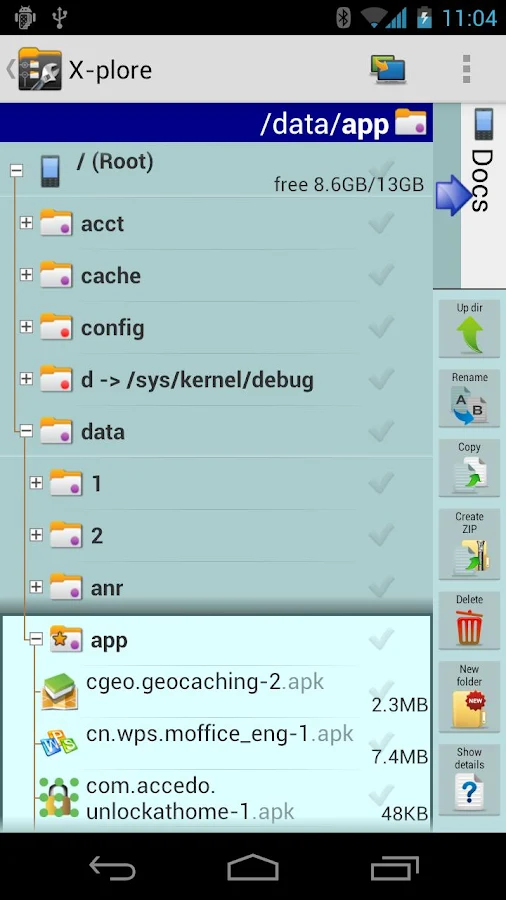
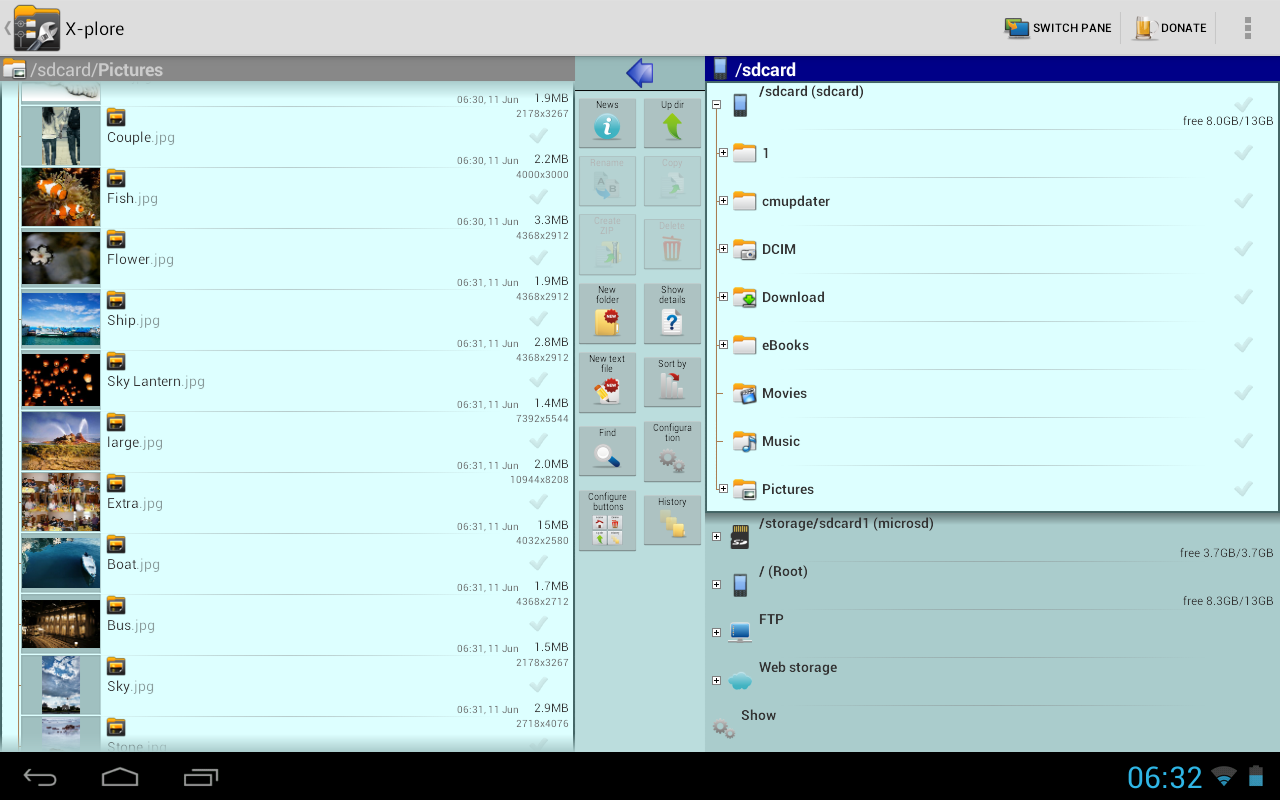
This is a dual-pane explorer, there are two folders shown at same time, and common operation such as copying files are done from one pane to another.
And X-plore shows folder hierarchy in a tree view for clear orientation and fast switching to other location.
You may explore internals of the device, and if you're power user and have your device rooted, you can make changes to system data - backup files, remove unwanted applications, etc.
If you're standard user, you may choose to hide internal memory from view and be sure not to mess with system.
You can comfortably see contents of mass memories on your device, or possibly attached USB memory stick.
Simple app manager allows to see, run, copy, share, uninstall and further explore installed applications.
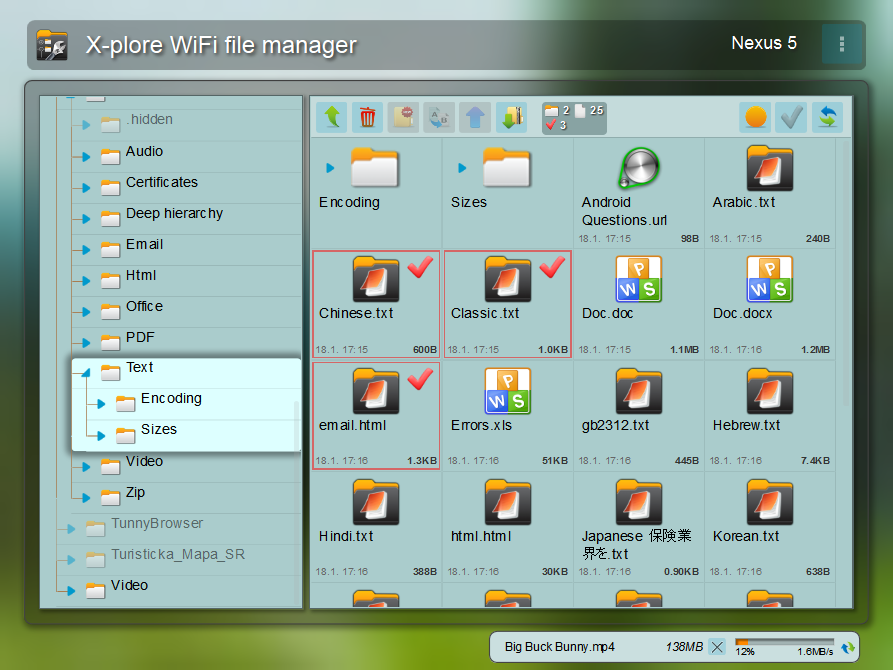
WiFi file sharing
Access files on your Android device from other Android devices over WiFi.
Access from a PC web browser
Manage files on your Android device from your PC.
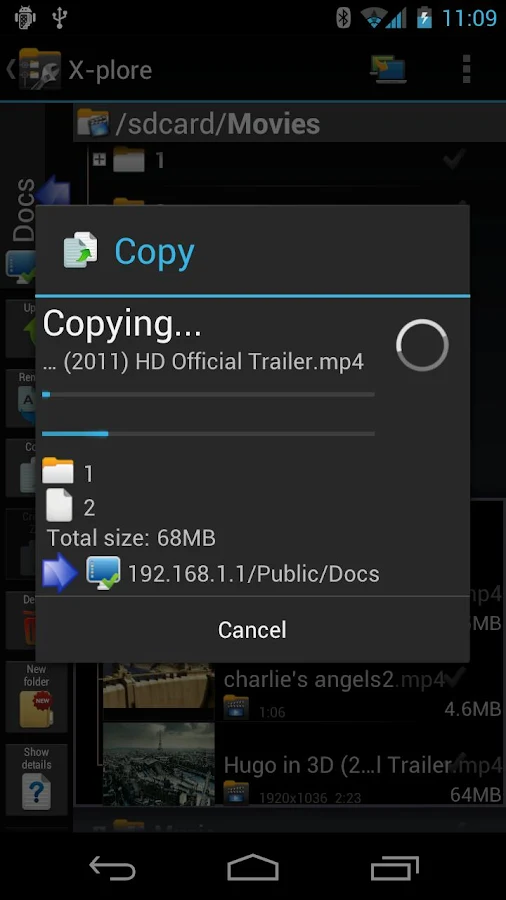
Access to FTP and FTPS (secure FTP) servers is supported.
Multiple servers may be configured.
X-plore can display shared folders on other computers in LAN.
X-plore can access various web storage "Cloud" servers, and access their files.
You need to have account in supported web service, then you can access your files stored online through X-plore.
Supported is also SSH File Transfer (SFTP) and Terminal shell emulator.
X-plore contains music player that can play music tracks from any available location.
Main operations are related to managing files and folders - viewing, copying, moving, deleting, compressing to Zip, extracting, renaming, sharing, and more.
SQLite database viewer
X-plore can show SQLite database files (those with .db extension) as expandable list of tables, each table containing list of rows and columns with database entries.
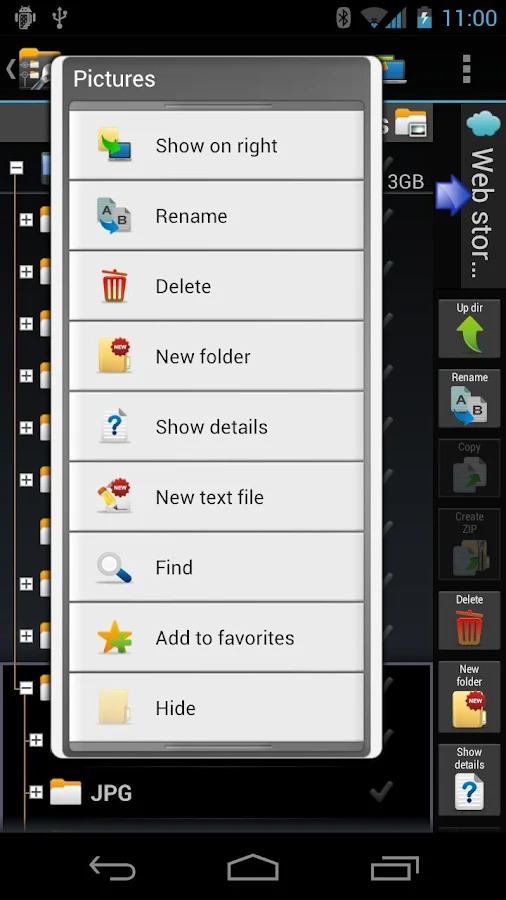
Main interaction is done by touch screen, clicking on folders or files to open files, or long-click to open context menu which contains options which can be done on particular clicked item, or multiple selected items.
Multi-selection allows to do operation on more files at once. Files can be selected by clicking check box. It is also possible to select all files in a folder, or clear selection, by clicking parent folder's check box.
Opening file may mean to use one of built-in viewer for most popular file types: images, audio, video and text.
Or you may configure X-plore to use system application for opening files, in which case system-predefined application that can open particular file is launched.
Archives (currently supported are Zip, Rar and 7zip) are displayed as other folders.
Additional interaction is possible by button bar, which is between two panes, and is fully configurable.
   X-plore File Manager- screenshot
   X-plore File Manager- screenshot
   X-plore File Manager- screenshot            X-plore File Manager- screenshot             X-plore File Manager- screenshot
   X-plore File Manager- screenshot            X-plore File Manager- screenshot             X-plore File Manager- screenshot
   X-plore File Manager- screenshot

   X-plore File Manager- screenshot


Download : Google Play

X-plore File Manager Best File manager for android


Cover art

Highlights:
● Dual-pane tree view
● Root, FTP, SMB, Sqlite, Zip, Rar, 7zip, DLNA/UPnP explorer
● Disk Map - see which files consume most space on your disk
● Cloud storage access: Google Drive™, Dropbox, Box.net, Amazon cloud drive, Mega.co.nz, OneDrive, Webdav, ОБЛАКО.mail.ru, Yandex.disk, MediaFire, SugarSync, Dump Truck, Copy.com, Picasa
● SSH File Transfer (SFTP) and SSH Shell ***
● Music player ***
● App manager
● WiFi file sharing *** 
● Manage files from a PC web browser ***
● Favorite folders
● Built-in viewers for images, video, audio, text
● Hex viewer
● Fast Image viewer with zoom and slide to previous/next images
● Thumbnails for images and video as well as for various file types (depending on associated application)
● Multi-selection - always available, yet not disturbing
● View APK files as ZIP
● Share - send files by Bluetooth, email, or whatever the device supports, from any location
● Configurable buttons and key shortcuts
● Seamless work with Zip (as if it was normal folder)
*** marked features are paid - they require donation

X-plore allows you to see inside of your Android device. And also outside.
This is a dual-pane explorer, there are two folders shown at same time, and common operation such as copying files are done from one pane to another.
And X-plore shows folder hierarchy in a tree view for clear orientation and fast switching to other location.
You may explore internals of the device, and if you're power user and have your device rooted, you can make changes to system data - backup files, remove unwanted applications, etc.
If you're standard user, you may choose to hide internal memory from view and be sure not to mess with system.
You can comfortably see contents of mass memories on your device, or possibly attached USB memory stick.
Simple app manager allows to see, run, copy, share, uninstall and further explore installed applications.
WiFi file sharing
Access files on your Android device from other Android devices over WiFi.
Access from a PC web browser
Manage files on your Android device from your PC.
Access to FTP and FTPS (secure FTP) servers is supported.
Multiple servers may be configured.
X-plore can display shared folders on other computers in LAN.
X-plore can access various web storage "Cloud" servers, and access their files.
You need to have account in supported web service, then you can access your files stored online through X-plore.
Supported is also SSH File Transfer (SFTP) and Terminal shell emulator.
X-plore contains music player that can play music tracks from any available location.
Main operations are related to managing files and folders - viewing, copying, moving, deleting, compressing to Zip, extracting, renaming, sharing, and more.
SQLite database viewer
X-plore can show SQLite database files (those with .db extension) as expandable list of tables, each table containing list of rows and columns with database entries.
Main interaction is done by touch screen, clicking on folders or files to open files, or long-click to open context menu which contains options which can be done on particular clicked item, or multiple selected items.
Multi-selection allows to do operation on more files at once. Files can be selected by clicking check box. It is also possible to select all files in a folder, or clear selection, by clicking parent folder's check box.
Opening file may mean to use one of built-in viewer for most popular file types: images, audio, video and text.
Or you may configure X-plore to use system application for opening files, in which case system-predefined application that can open particular file is launched.
Archives (currently supported are Zip, Rar and 7zip) are displayed as other folders.
Additional interaction is possible by button bar, which is between two panes, and is fully configurable.
   X-plore File Manager- screenshot
   X-plore File Manager- screenshot
   X-plore File Manager- screenshot            X-plore File Manager- screenshot             X-plore File Manager- screenshot
   X-plore File Manager- screenshot            X-plore File Manager- screenshot             X-plore File Manager- screenshot
   X-plore File Manager- screenshot

   X-plore File Manager- screenshot


Download : Google Play